Gather a few things See what you’ll need
- Notebook
- Pen
- Ruler or straight edge
Decide what the columns mean
A row identifies one task. A column answers one question about that task: which month, which day, or which context? Johnston's task version uses contexts, while community weekly adaptations commonly use days. Choose one meaning for the whole matrix. Mixing “Tuesday,” “email,” and “urgent” along the same header makes every mark harder to interpret.
For your first attempt, use the days of one named week. Keep fixed appointments in the calendar you already trust. The matrix can show your intention to send an email on Wednesday; it does not need to become your meeting timetable as well.
Watch one intention move
Which point in the venue task do you want to inspect?
Wednesday is an intention.
The dot identifies the intended day, not a completed action.
Give the task words most of the width
On an A5 page, a useful trial is seven columns about 5 mm wide and a task area around 85 mm wide. Those are illustrative dimensions, not a requirement: test your handwriting with the longest real task before drawing the remaining lines. Leave comfortable margins and one writing line per row.
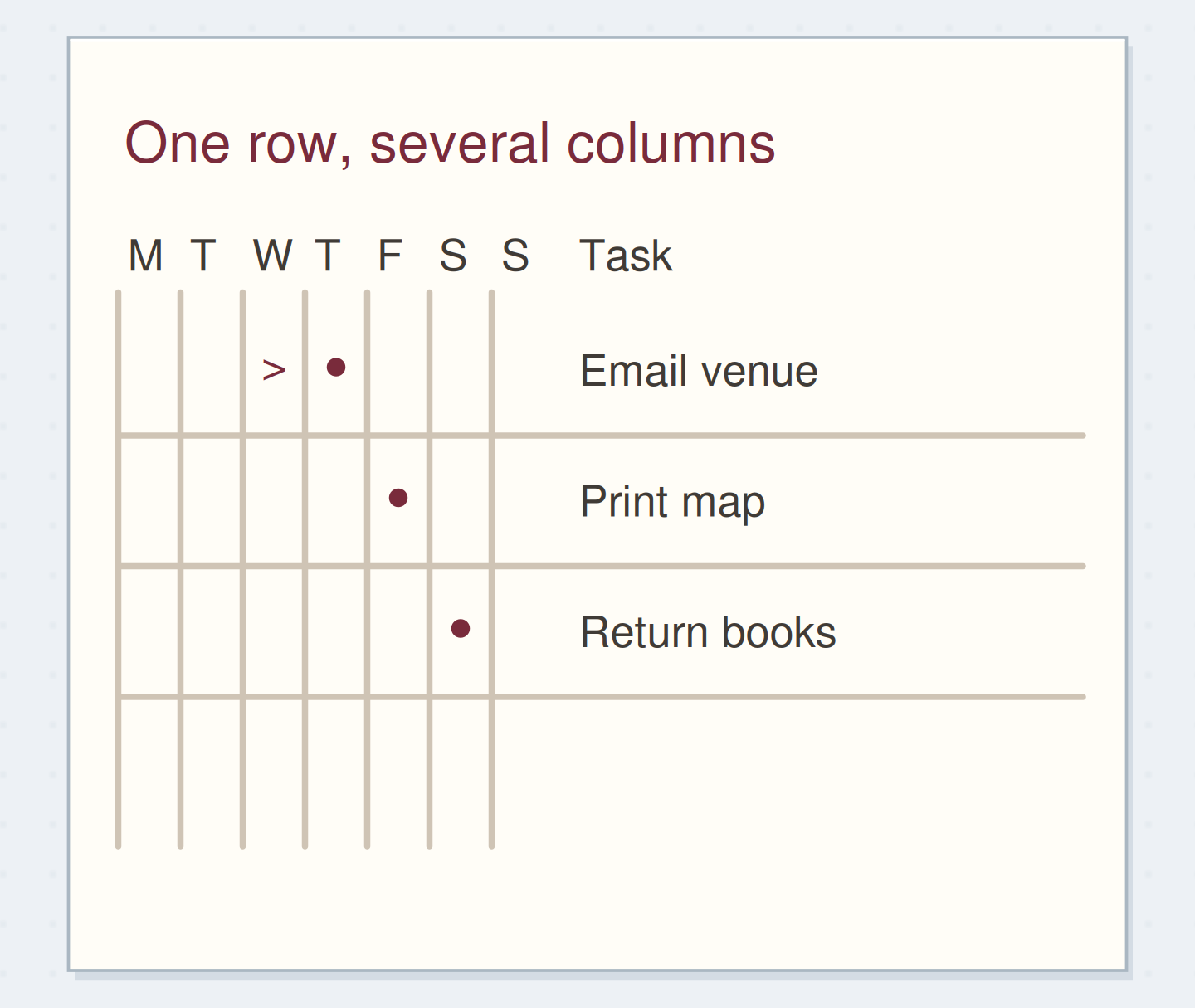
Write the full week dates above the day abbreviations. Use clear headings such as Mo, Tu, We, Th, Fr, Sa, Su. The compact diagrams use M/T/W/T/F/S/S in Monday–Sunday order; keep that day-order key beside a single-letter version. Put a tiny key below the sample: dot means intended, x means completed, and > means moved from this cell. Use the same meanings all week.
Write a key you can explain
Edit the worked example into a note you can use.
Columns mean:Days of one named week
Open mark:Dot = intended day
Finish mark:x = action complete; > = moved from here
Your words have a place now.
Your marks need one stable meaning, including what a blank cell means.
- Words on this card
- 24
“You are finished when every open row has a clear current home or a deliberate ending.”
Make each row small enough to finish
Write “email venue about access,” “print route map,” and “return library books.” These have visible finishing points. “Party” would need several actions and would leave you guessing whether an x means you planned, booked, or attended it. Keep background notes elsewhere and add a page reference when you need one.
Place one dot in each intended day. An empty cell means you have not assigned that task to that day; it is not a failure mark. If you genuinely need two separate attempts, such as two different phone calls, give them distinct rows instead of asking one symbol to describe both.
Follow one changed plan
Imagine the venue email begins with a Wednesday dot. On Wednesday you discover the access question needs a photograph that you will take tomorrow. Change the Wednesday dot to > and put a new dot in Thursday. The words remain where they were, so your eye can follow the same row across.
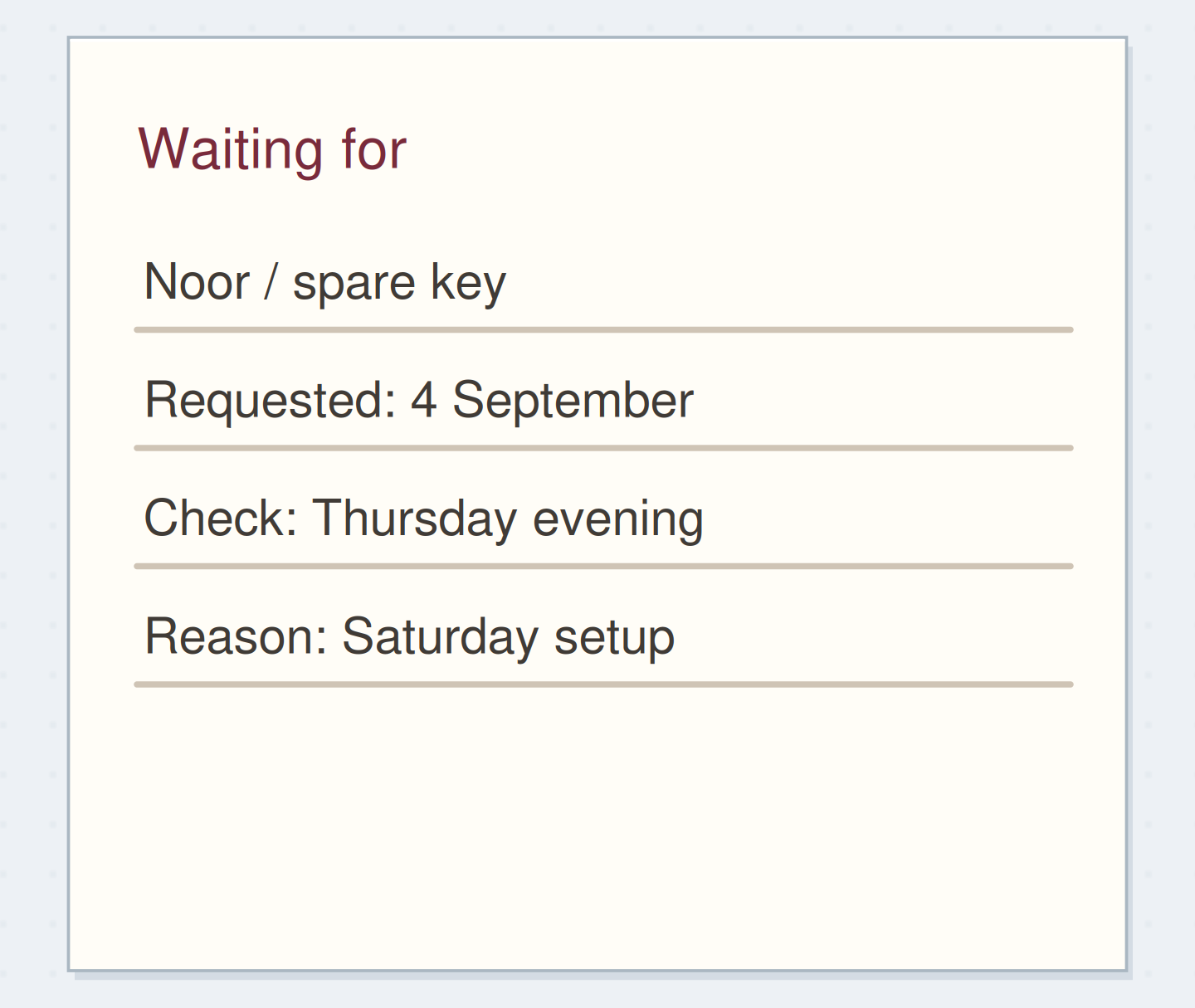
On Thursday, send the email and change that day's dot to x. That completes the action “send email,” even though the reply is outstanding. Add “venue reply about access” to a waiting-for list. Completing the sending action and recording the dependency gives you two clear facts instead of a permanently half-finished task.
Separate sending from waiting
Move the reveal control to inspect the specific change.
Before sending
Combining the request and reply makes completion ambiguous.
Repair a row you can no longer read
If you put a mark in the wrong column, strike through that small cell and write a brief correction beside the task, such as “planned Thu.” Avoid covering the entire page with a new legend. When repeated moves become difficult to read, rewrite that single task on a clean row and label the old one “continued below.”
Also check why it keeps moving. Perhaps “print map” depends on choosing a route. Replace the vague row with “choose one of two routes,” keeping the map step in your project notes. A cleaner next action often fixes more than a more elaborate status mark.
Change the question on another page
If your days move constantly, try a separate matrix headed Calls, Desk, Out, and Waiting. A task can change context as circumstances change. This returns closer to Johnston's task adaptation, but the daily example above should keep its original meaning until the week ends.
Test only the contexts you actually use. Three useful columns beat eight columns whose headings need explanation. Leave out “urgent” unless you define how it differs from a deadline; a real deadline can remain in the written task or your calendar. You can still choose what matters first without adding another symbol family.
Close the week with a short decision
Read each unfinished row once. Complete the record if you forgot to mark an action, move a still-useful action to the next week's list, or cancel it with a short line through its words. Do not transfer every row merely because there is space on the new page.
You are finished when every open row has a clear current home or a deliberate ending. Keep the old matrix as a record; there is no need to recopy its completed tasks. A task should have one place where its current status is clear.
Move a task without losing its home
Move the steps so the necessary checks happen before the actions that depend on them.
One workable order
- Decide whether it still mattersA cancelled task does not need a new copy.
- Write the new action and destinationThe live reminder must exist before the old row is closed.
- Mark the old row as movedThe mark should point to a real current location.
Which check needs to come first?
The example shows one workable order. Other steps can move freely; these checks protect the information you need.
Where this idea began
Want to follow the idea further? These community discussions and maker references are a good place to start.
- Alastair Method Weeklies
A contributor explains adapting month columns into weekly records and finding a full-month matrix harder to scan.
- To Do: The Alastair Method
Alastair Johnston explains keeping task text beside a matrix of contexts and updating status in those columns.