Gather a few things See what you’ll need
- Notebook
- Pen
- Existing calendar
- Bookmark
Keep one dependable place for appointments
Before changing your page, decide where a commitment with an actual date and time lives. A paper calendar, a digital calendar, or a small fixed weekly strip can do that job. Readers discussing rolling pages repeatedly ask how they will see appointments that have not yet happened. Flexible writing space works better when that question already has an answer.
Write “appointments: monthly calendar, page 12” above the weekly task pool if that is your source. If you copy a meeting into a daily entry for convenience, treat it as a view of the commitment and correct the main calendar when the meeting changes.
Follow a week with uneven days
Choose the point in the photo-display week.
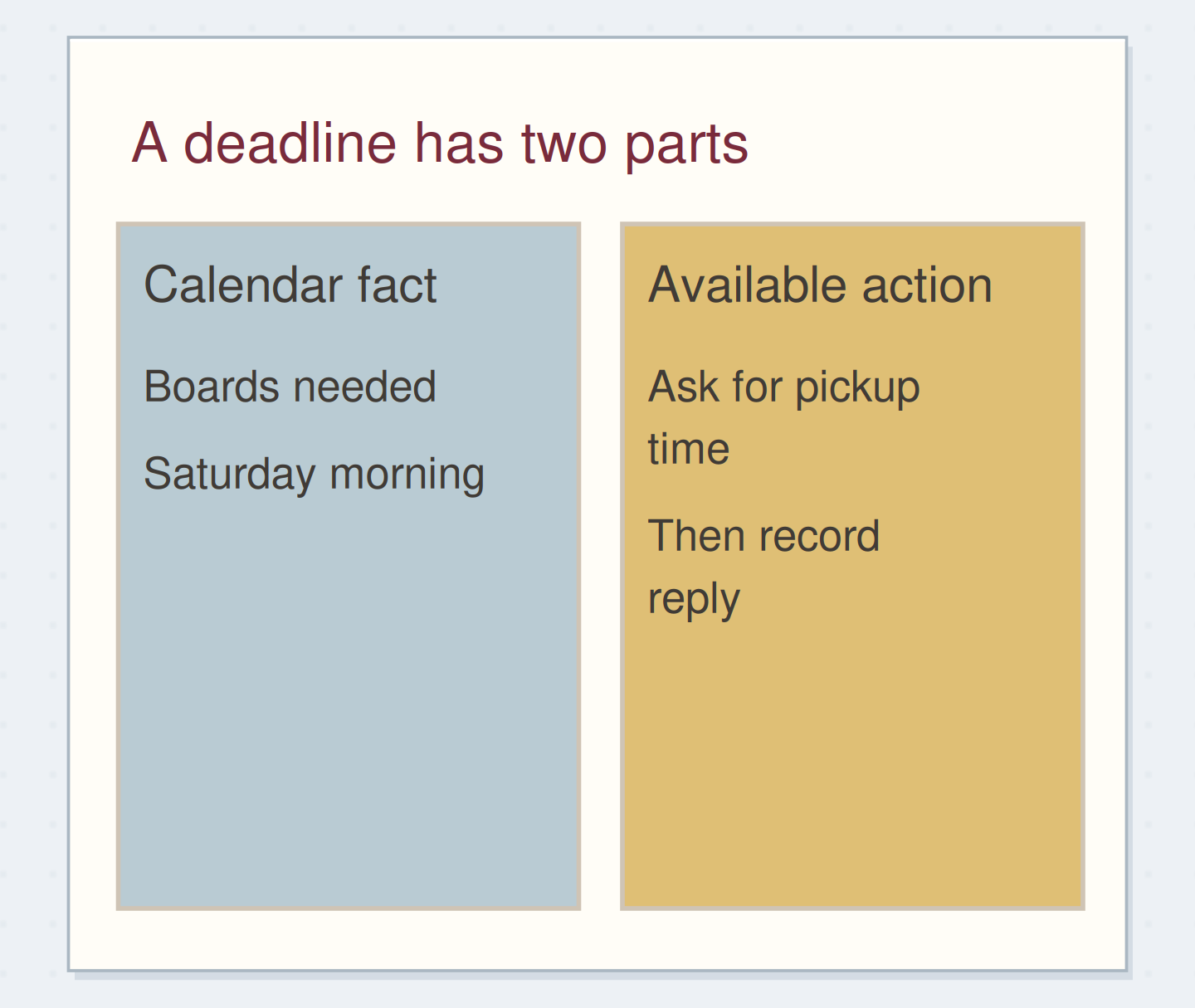
Fixed times and flexible work have different places.
The left side protects actual commitments; the right side holds available actions.
Start the list with what belongs this week
Give the next open page a week range and the heading “Available this week.” Add actions you could reasonably begin within that range. Leave later possibilities in a future log or someday list. The pool is useful because you can scan it; filling it with every unfinished idea removes that advantage.
For a trial, draw a slim status margin and leave the rest for the task wording. Six to ten rows may be enough. Do not reserve seven daily boxes underneath. Your daily note can begin on the following page, and another date begins only when that day arrives.
Give the pool a boundary
Edit the worked example into a note you can use.
This week includes:Prepare one photo display sample
Appointments live in:Monthly calendar p. 12
Later ideas live in:Someday list p. 31
Your words have a place now.
These locations should be real places you can open.
- Words on this card
- 23
“Stop when the upcoming appointment source is checked and each open action has been kept, moved, deferred, or cancelled.”
Record the day without duplicating every action
Each morning, look at the appointment source and the weekly pool. Choose what you want to attempt, but avoid copying the entire pool into today's note. You can write a small reference such as “from weekly list: captions” if you want a visible intention for the day.
During the day, put observations, decisions, and unexpected work beneath the date. Complete the live task in the weekly pool when it is done. A daily reference can record what happened without becoming another status ledger. The distinction matters most when your week has several interruptions and unfinished actions span multiple days.
Keep one live status record
Move the reveal control to inspect the specific change.
Three live copies
Every copied task asks for another status update.
Work through a three-day example
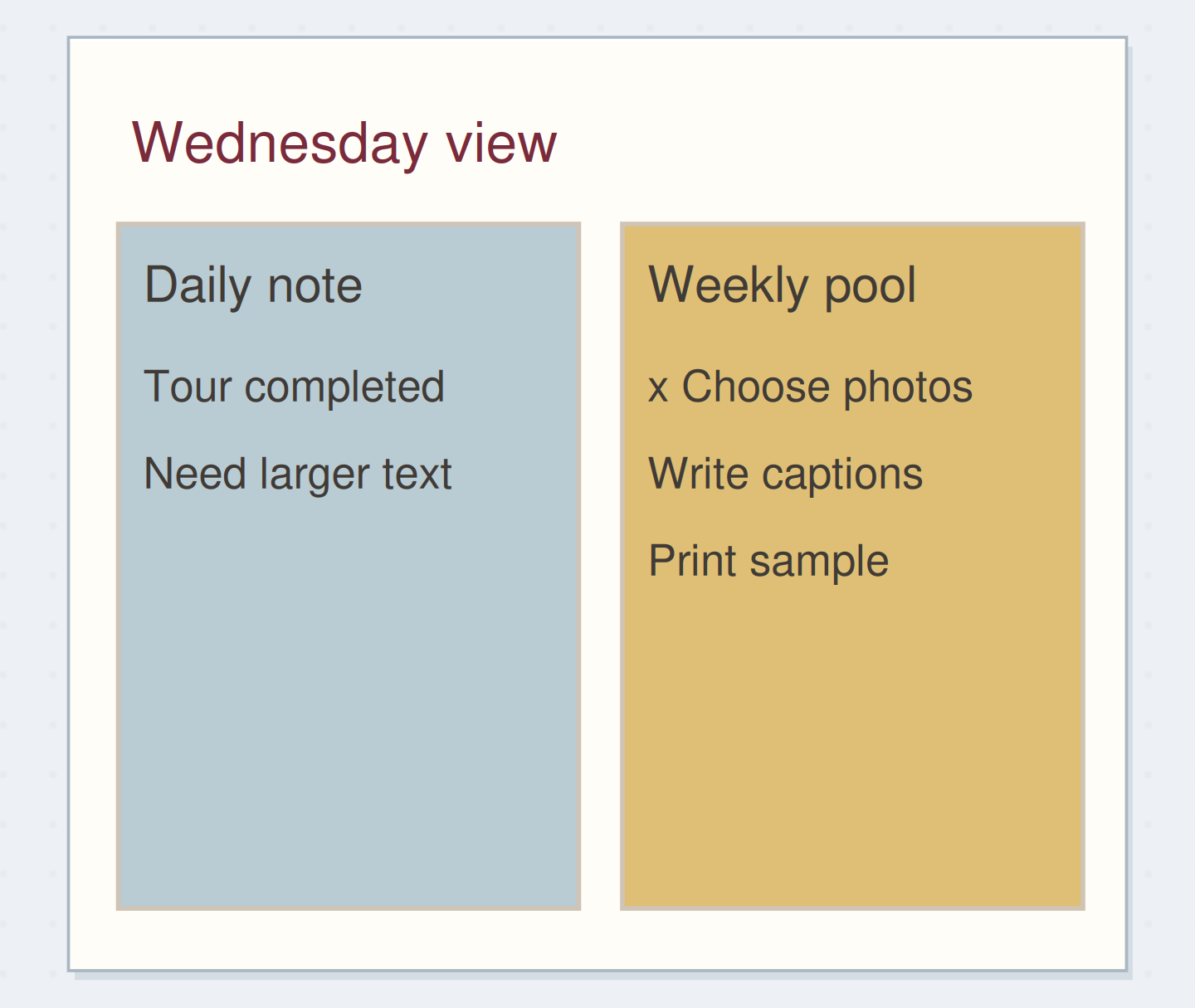
Suppose the week's small project is a photo display. Your pool reads “choose six photos,” “draft captions,” and “print one sample.” Tuesday's venue tour reveals that visitors will read the display from farther away than expected. Record that observation in Tuesday's notes and add “check caption size” to the pool.
On Wednesday, choose the photos and cross that action off in the pool. Thursday's note can hold three rough captions and the reference “display notes p. 19.” By Friday, you have not printed the sample. That action remains in one visible place instead of becoming three copies that all appear unfinished.
Split overflow by function
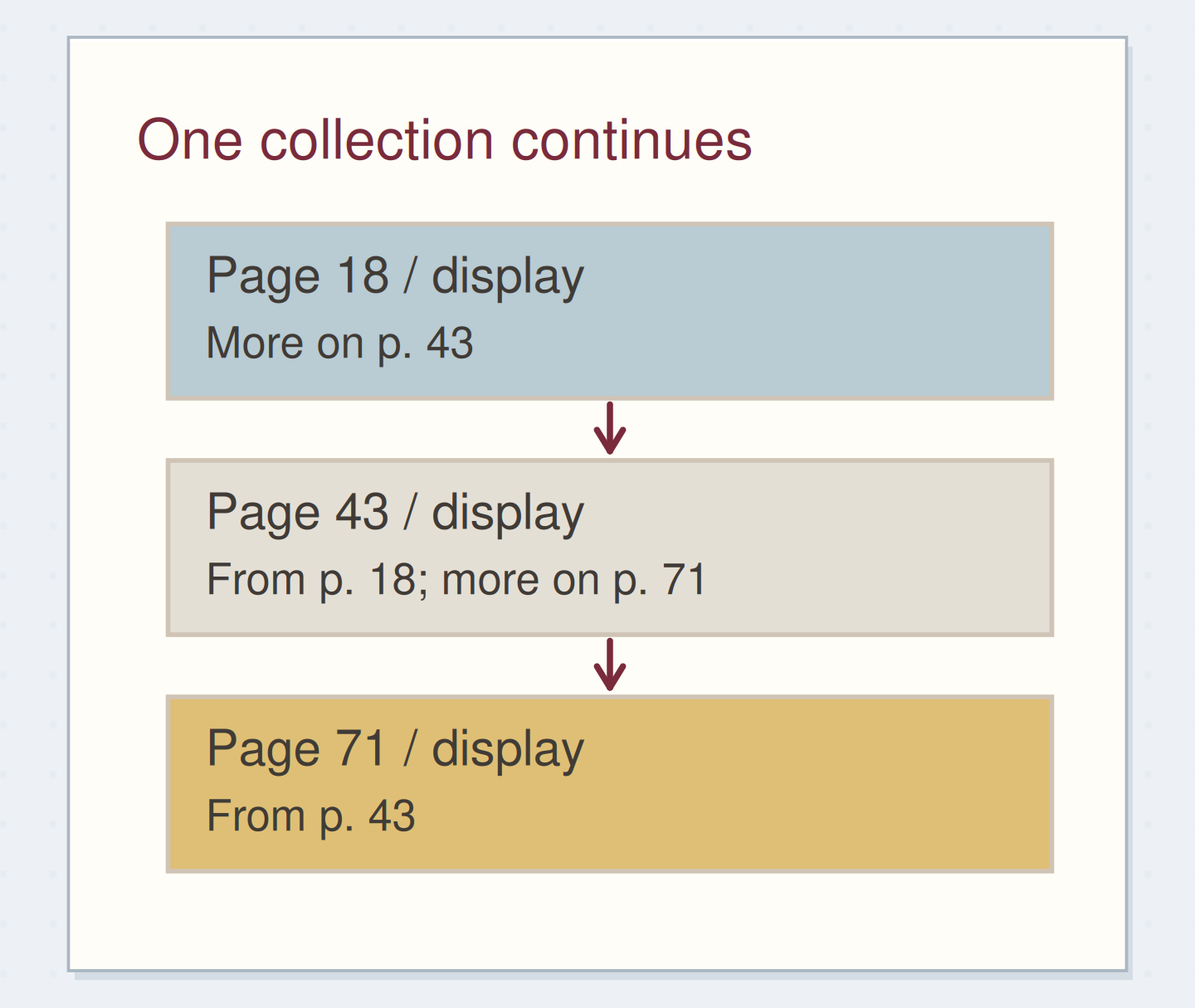
When the pool runs out of space, continue it on the next free page and add “continued p. 23” at the bottom. Put the reciprocal reference on page 23. Do not squeeze new actions into the date heading or shrink your handwriting to maintain a one-page ideal.
If most new lines are notes about one project, make a project collection and retain only its next available action in the weekly pool. If most are future possibilities, move them out of the active week. More paper solves physical overflow; clearer boundaries solve a list that has stopped representing the week.
Use a short selection when the pool is large
You may prefer a tiny “today” selection on a movable note. Limit it to a few references, such as “captions, route call,” and continue to mark completion in the original pool. This is a selection aid rather than a second full list. Remove the note when it stops being current.
For a quieter week, skip the selection entirely. You can also keep work and personal pools on facing pages if the separation makes choosing easier. Test one change at a time so you can tell whether it reduced page hunting or simply created more places to maintain.
Finish the week without carrying its whole weight
At the end of the week, scan the pool and the dated notes together. Look for unfinished actions, commitments hidden in prose, and decisions that changed the plan. Move only the actions that still deserve an active place. A note such as “caption size checked” may close a task you forgot to mark.
Stop when the upcoming appointment source is checked and each open action has been kept, moved, deferred, or cancelled. The daily pages can remain uneven. The week is readable when you know where to look next, not when every date has used the same amount of paper.
Close a week in a safe order
Move the steps so the necessary checks happen before the actions that depend on them.
One workable order
- Scan the pool and daily notesA promise may be hidden in a daily paragraph.
- Choose the live actionsSome old intentions no longer need carrying.
- Give each live action a destinationThe next week should begin with usable reminders.
Which check needs to come first?
The example shows one workable order. Other steps can move freely; these checks protect the information you need.
Where this idea began
Want to follow the idea further? These community discussions and maker references are a good place to start.
- Switching to Rolling Weekly Setups
A reader asks how flexible daily space can coexist with visible upcoming appointments.
- Getting Things Done with BuJo
A practitioner describes combining calendar information, actionable lists, and reviews within a paper notebook.