Gather a few things See what you’ll need
- A tray or envelope for incoming paper
- Notebook
- Pen
- Calendar
- A place for reference material
Define what you are going to examine
Take five loose items or one short page of captures. Keep the rest in its existing inbox. Choose a stopping point before starting so a large backlog does not turn this trial into a full notebook overhaul. Leave enough room to read and handle one item at a time.
You may need a calendar, an action page, a reference folder, and a someday list within reach. Use the places you already maintain if they work. Do not design an elaborate filing structure before discovering what the five items actually contain. A temporary labelled reference envelope can be sufficient for a small test.
Describe the thing before choosing its destination
Pick up one item and ask what it represents. Is the paper sample a choice you must make, a material reference, or something you no longer need? “Blue paper” is not enough to answer that question. Add the missing context while you can still remember it.
If an item contains several meanings, separate them. A meeting note may include a useful measurement and a promise to ask about access. Keep the original note as reference if needed, and extract the actual action. The physical sheet does not have to travel to two places when a clear reference can connect the information.
Inspect what happens after capture
Which stage of the inbox would you like to see?
The captures have not yet been assigned roles.
A sample, a question, and an idea can share one temporary inbox.
“Stop when the selected range has clear destinations or explicit deferred decisions.”
Turn vague work into something you can begin
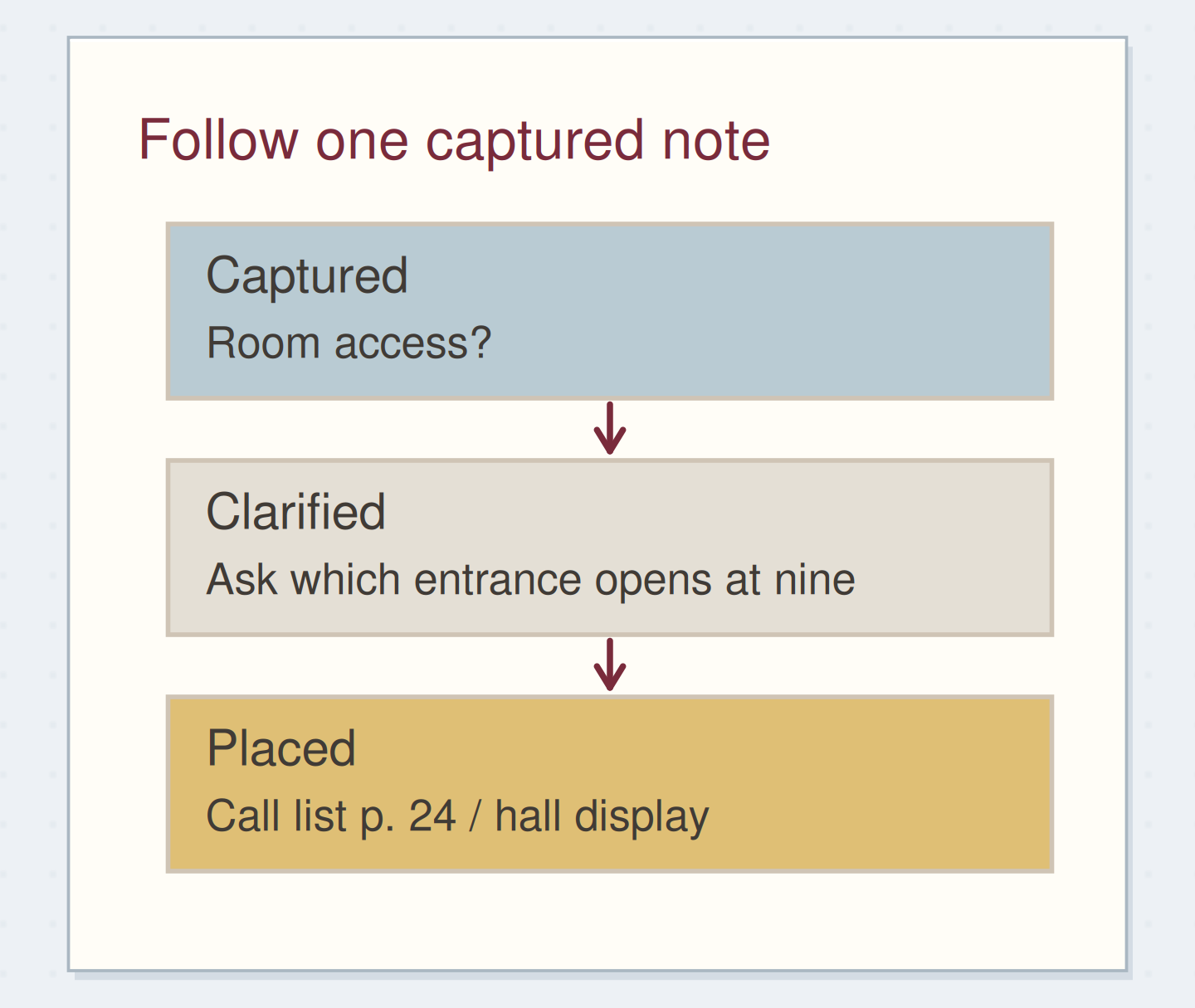
For “room access?” write the concrete uncertainty: which entrance opens at nine? Then choose the available action that resolves it, such as “ask hall coordinator which entrance opens at nine.” Add the display project reference. If you have already sent the question, the outstanding reply belongs in a waiting-for record instead.
Do not use processing as a reason to start every action immediately. You may choose to finish a genuinely quick item, but you can also record it and continue deciding about the inbox. The useful result is a clear decision and placement, not proof that you completed everything you touched.
Clarify one vague capture
Edit the worked example into a note you can use.
Original capture:Room access?
Available action:Ask hall coordinator which entrance opens at nine
Destination:Call list p. 24 / hall display
Your words have a place now.
If the request is already sent, record the expected reply as a wait.
- Words on this card
- 22
Give each capture a fitting home
Imagine the blue sample is only a color reference for a future cover. Label it and place it with the cover notes, then index that location if you expect to look for it again. The room-access note becomes an action on your call list. The fold-out map idea is interesting but uncommitted, so it goes to someday with a brief reason.
A duplicate receipt used only as scrap may now be discarded if it has no remaining purpose. Check for information you still need before removing it. These decisions are different outcomes, and each can count as processed because the item no longer depends on being rediscovered in the inbox.
Make the destination real
Write the action, file the reference, or record the deferred idea before marking the original capture as processed. If the original remains in the notebook, add a small destination note such as “action p. 24” or “reference envelope: covers.” Your future self should be able to follow the path.
Avoid a checkmark that could mean either “task completed” or “item processed.” Choose a distinct mark or write the destination in words. Processing “call about access” does not mean the call has happened. The call remains open at its new action location until you actually make it.
Keep processed separate from done
Move the reveal control to inspect the specific change.
An ambiguous checkmark
Processing and completing the work are different events.
Record the missing decision instead of recirculating it
If you keep returning an item to the inbox, name what prevents a decision. Perhaps you need the organizer to say whether the map is required. Write that question as an action and retain the supporting sketch in a labelled temporary location. The uncertainty is now explicit rather than hidden in another pass through the pile.
Some items can remain undecided until a chosen review point. Label that state and its reason if you deliberately defer the decision. An unlabelled “later” pile simply creates another inbox. Keep the temporary holding area small enough that you can actually review the items it contains.
Check placement instead of counting finished tasks
Review the handful you selected. Can you say where each item went and why? Check that extracted actions are still open, reference material is retrievable, and discarded items contain nothing you meant to keep. Return untouched captures to the inbox without pretending the entire backlog is processed.
Stop when the selected range has clear destinations or explicit deferred decisions. An inbox session can be successful even when its resulting actions are still waiting to be done.
Process a capture without losing it
Move the steps so the necessary checks happen before the actions that depend on them.
One workable order
- Decide what the capture meansPlacement depends on whether it is work, reference, or a possibility.
- Create or use its real destinationThe destination needs to exist before the source is marked processed.
- Mark the capture with its destinationUse a mark that cannot be confused with task completion.
Which check needs to come first?
The example shows one workable order. Other steps can move freely; these checks protect the information you need.
Where this idea began
Want to follow the idea further? These community discussions and maker references are a good place to start.
- Time to Process the Inbox
The discussion distinguishes deciding what a captured item means from doing every task it contains.
- What Is GTD?
The method overview distinguishes capturing, clarifying, organizing, reflecting, and engaging.