Gather a few things See what you’ll need
- Notebook
- Pen
- Calendar or review reminder
Ask what you have actually decided
“I would like to make a neighborhood zine” is different from “I agreed to bring a zine to the fair.” The second statement includes a commitment that may need a project plan and a real date. Do not place it in someday merely because you are uncertain how to begin.
A community discussion asks how to decide between someday and current projects when both have possible actions. The existence of a possible action is not the only question. Ask whether you have chosen to pursue this work now and whether another person is relying on that choice. Preserve any actual agreement before deciding how to organize it.
Follow an idea through a review
Which state would you like to inspect?
The zine has a reason and review cue.
It is not yet on the current action list.
Keep enough context to recognize the idea later
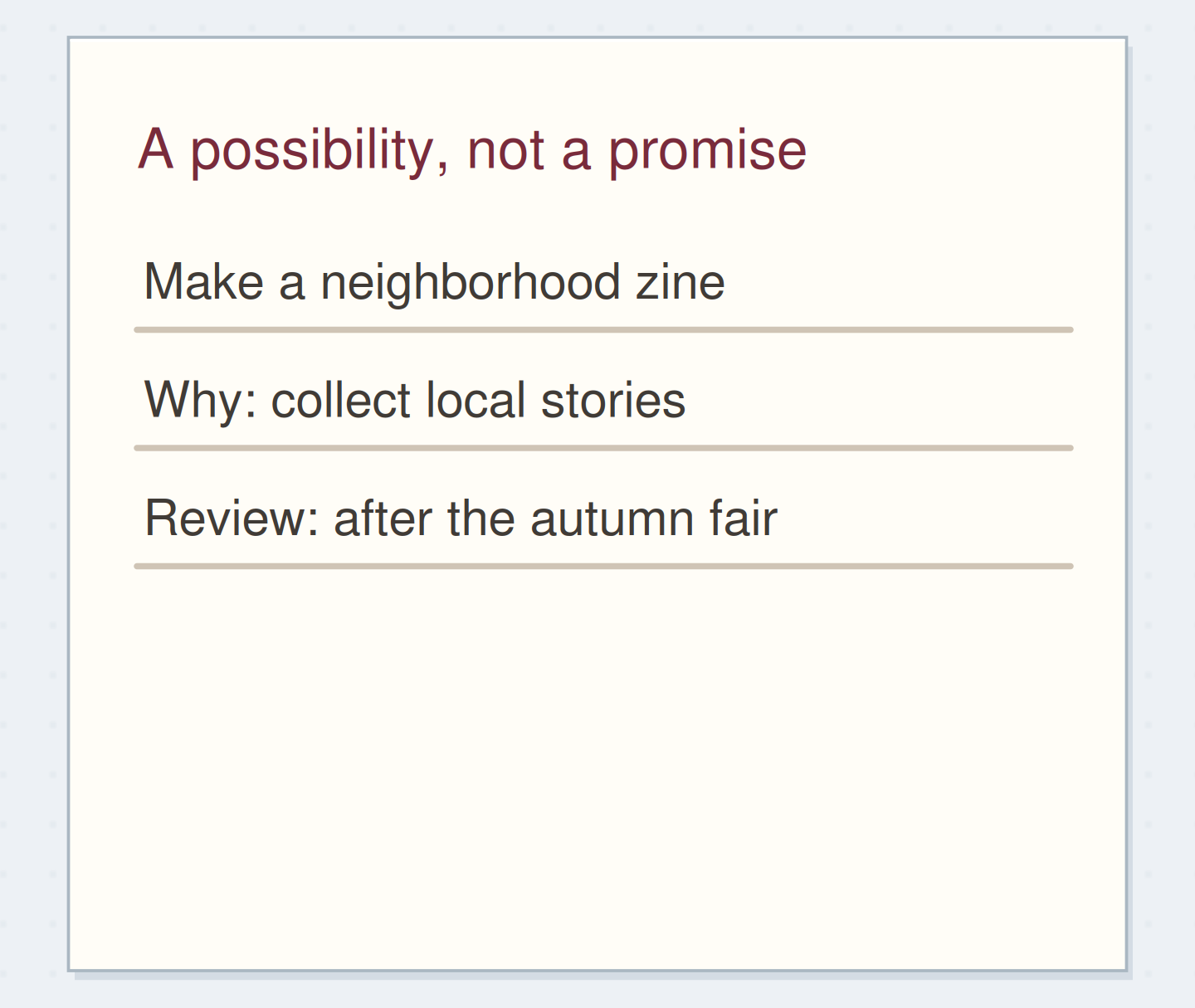
Write the idea and one sentence explaining its appeal or condition. “Neighborhood zine: collect local stories after the autumn fair” is more useful than “zine?” Add a supporting page or folder reference if you have already gathered material. Leave the full research in its reference location rather than copying it all onto the someday page.
You can save a possibility without designing its entire project plan. A title, a reason, and a route to existing notes are enough for this trial. If the idea only makes sense under a condition, name that condition plainly: “when the shared room is available” or “after the current booklet is finished.”
Save a possibility with context
Edit the worked example into a note you can use.
Possibility:Neighborhood zine
Reason or condition:Collect local stories after the autumn fair
Review cue:After the fair
Your words have a place now.
A review cue is an invitation to decide, not an invented deadline.
- Words on this card
- 18
“Stop when your chosen review range has current statuses.”
Give the list an appropriate review cue
Choose a time or event when reviewing the possibilities would be useful. You might scan a short list during your normal weekly review, while a seasonal idea can wait until the relevant season approaches. A date labelled “review” means reconsider, not complete the project by then.
Avoid assigning a separate reminder to every casual possibility. One review cue for a small list may be enough. If your notebook will be closed for weeks, put the cue in the calendar or reminder system you actually consult. The paper preserves the idea; your review practice is what brings it back into consideration.
Make a small decision with each entry
Imagine the list contains a neighborhood zine, a recipe index repair, and a complicated scrapbook format you no longer like. After the fair, you still want the zine but have not chosen to begin it. Leave it deferred and update the reason. The recipe index is now useful because loose cards are hard to retrieve, so you activate that project.
Cross out the unwanted scrapbook idea with a brief “no longer interested.” Nothing needs to replace it. The review has produced three different outcomes: keep later, activate, and remove. It does not need to turn every surviving idea into work for the coming week.
Give a chosen idea a current home
For the recipe index, write an outcome such as “recipe cards are listed by name and location.” Choose an available first action: “gather loose recipe cards from the kitchen drawer.” Put that action in your current pool and note the project page. Then mark the someday entry as moved to that location.
Activating an idea involves more than starring its title. You should be able to see where you will choose its work and where its support lives. If you cannot identify an available action because information is missing, the first action may be a specific question or a request rather than the final project step.
Remove ambiguity before adding categories
If the list grows too long to review, skim it for duplicates, ideas that no longer appeal, and items that are actually reference material. A saved explanation of how a fold works belongs with reference notes; “try that fold for a winter card” is a potential action. Link the two only when you need the connection.
Then split the list only along a useful review boundary, such as “this season” and “uncommitted possibilities.” Avoid creating a dozen categories that you never open. You can also retire a whole batch after reading it. Keeping an idea once does not require maintaining it forever.
Distinguish an idea from its supporting information
Move the reveal control to inspect the specific change.
Reference only
Saved information does not automatically become an action.
Finish without making the list look busier
At the end of the review, check that activated work has a live destination and that deferred ideas are still clearly deferred. Remove any copied next action that makes the same idea look active in two places. Keep a short reason when it will prevent you from reconsidering the same decision next week.
Stop when your chosen review range has current statuses. A someday list can remain partly unchanged. Its value is the distinction it preserves between an idea worth keeping and a commitment you are currently making.
Activate an idea without losing its status
Move the steps so the necessary checks happen before the actions that depend on them.
One workable order
- Choose to pursue the idea nowA possible next action alone does not make the project active.
- Create its project and next-action recordThe active home needs to exist before the old line is moved.
- Mark the someday entry as movedThe old list should no longer make the idea look merely deferred.
Which check needs to come first?
The example shows one workable order. Other steps can move freely; these checks protect the information you need.
Where this idea began
Want to follow the idea further? These community discussions and maker references are a good place to start.
- Someday/Maybe or a Current Project?
A reader asks how to separate possible work from current commitments when both have plausible next steps.
- What Goes on a Someday Maybe List?
The official article discusses possible future actions without treating every idea as an active commitment.